
Which Segments Have Room? (General Report)
When to use this workflow?
Use this workflow when you have a vacant or potential location but don't yet know which retail segment would be the best fit — for example, you have a building and no clear idea whether to look for supermarkets, fashion retailers, or another segment entirely.
The General Report gives you an overview across all segments at once, so you can identify which ones still have market room before narrowing down.
This workflow is useful when you want to:
- Get a first, broad read on a location's potential across every segment
- Identify which segments have theoretical room for additional retail surface
- Decide which segment is worth a closer look in the Segment Report
- Support a first, high-level conversation with prospects or internal stakeholders
If you already know which segment you're interested in, you can skip ahead to Which Segment Opportunity Should I Explore Further? (Segment Report).
Before you start
Make sure you have a location added in Location Planning. If you haven't done this yet, see Getting Started in Location Planning.
1. Generate the report
Click on your location marker on the map and select the Reports button.
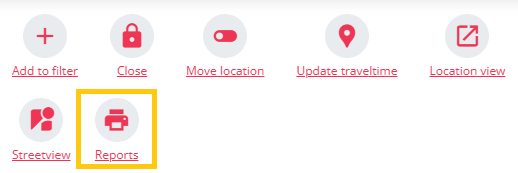
You'll see several report options. Choose the General Report — this gives an overview across all segments and helps you identify which ones show the strongest market opportunity around the location. It's the best starting point when you don't yet know which type of retailer would be the best fit.
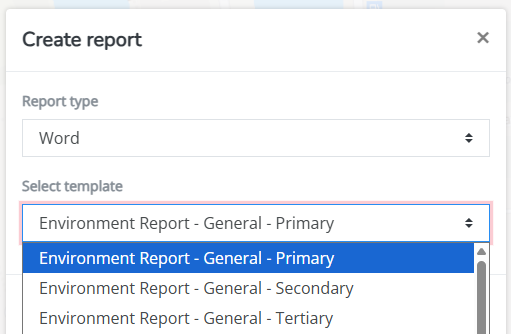
Choose the catchment area based on the type of analysis you want to make: 10 minutes (primary), 15 minutes (secondary), or 20 minutes (tertiary).
Helpful tip: Use a smaller catchment area, such as 10 minutes, to understand the immediate local opportunity. Use a broader catchment area, such as 20 minutes, to evaluate a wider market context — or when preparing a first broad business case for prospects.
2. Read the report
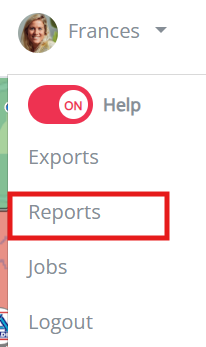
Go to your user menu and download the report when ready.
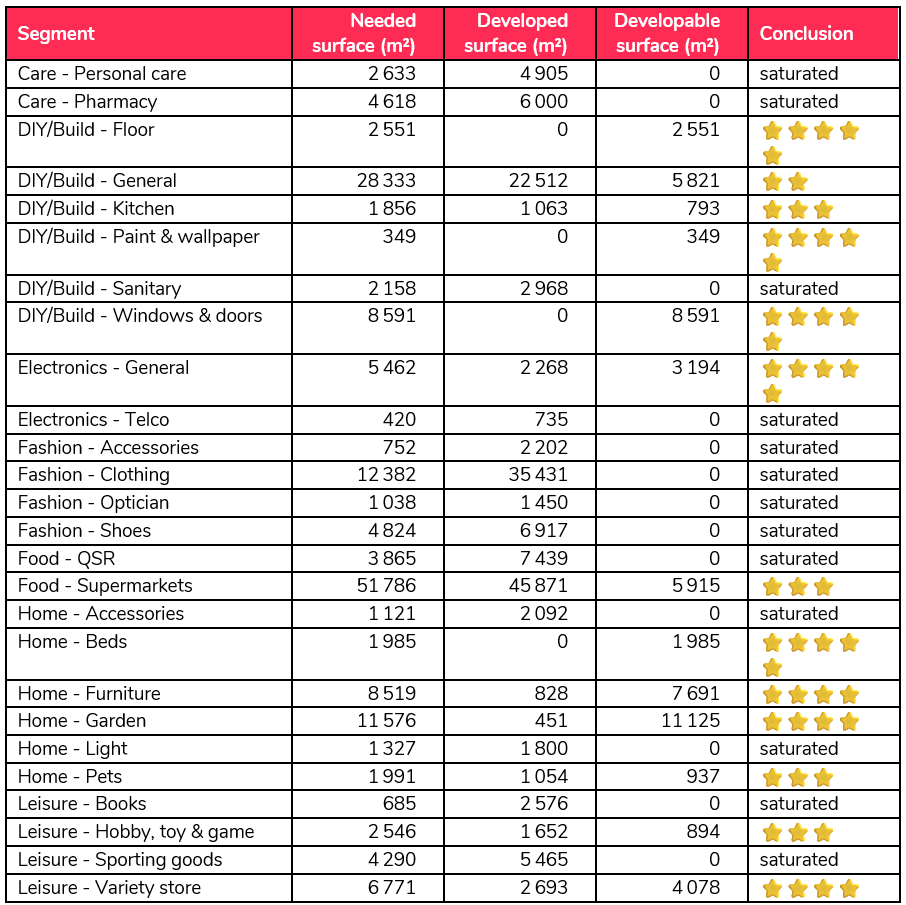
Scroll to the market space section. You'll see three key values, per segment:
- Needed — the amount of gross surface expected in the area, based on market size and the national benchmark.
- Developed — the amount of gross surface that already exists today.
- Developable — the difference:
Developable = Needed − Developed. It indicates whether there's still theoretical room for additional retail surface.
If Developable m² is positive, the area may support additional capacity for that segment. If it's negative, the area is already more developed than expected — this can indicate saturation or strong competition.
3. Identify your best candidate segment(s)
Look at the segments with positive Developable m². When comparing them, consider:
- Which segment has the highest positive Developable m²
- Whether the opportunity is clearly stronger than for other segments
- Whether the segment makes sense for the type, size, and context of the building
- Whether the surrounding area fits the needs of that retail segment
- Whether the result supports the commercial story you want to build
What's next?
Once you've identified one or more segments with positive Developable m², continue to Which Segment Opportunity Should I Explore Further? (Segment Report) to build a deeper, segment-specific business case.