
Select a Period
After choosing the type of project you want to create, you have to decide which period you want to base your project on. There are two types of references to choose from:
- Baseline: "reality snapshot" for a given time (e.g. 2023)
- Simulation: a "what-if scenario" built on top of a chosen baseline period. (e.g. closing store A, opening store B...) When you click 'Simulations' you'll see the overview of your previously saved simulations in the Location Planning module.
Once you have selected the period, click Next to confirm your choice and continue.
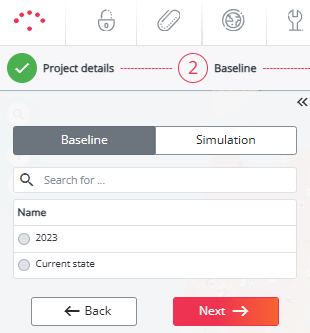
For a Hotspots project or an Optimal Characteristics project
You are now ready to move on to the next step: Select a data set.
For an Optimal Reduction project
Before calculating the project, select the locations you want to test as closures.
You can do this in two ways:
- Select locations in the table by ticking the box in front of their name.
- Select locations directly on the map by clicking on their logo, then clicking the small purple arrow above it to move to the next location.
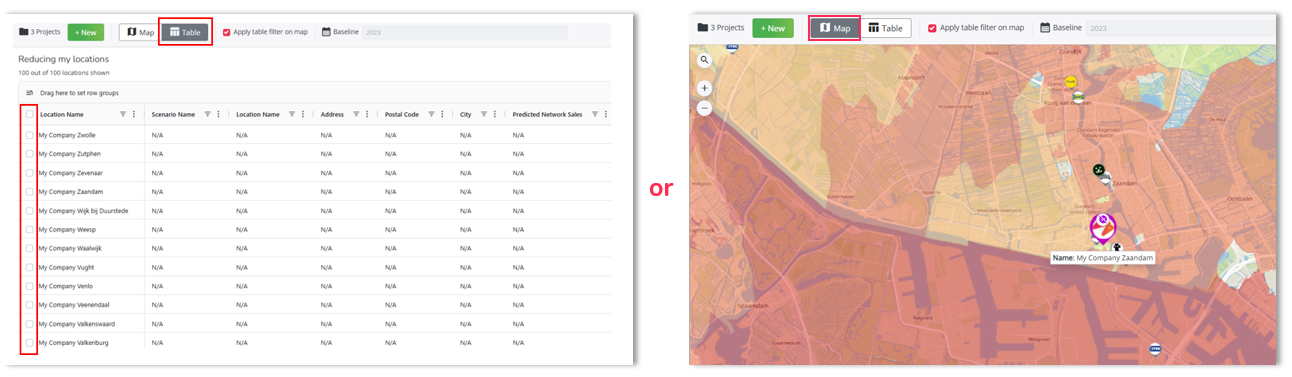
The map-based method offers a more visual approach, but it can be more time-consuming when selecting multiple locations.
Once you have selected the locations, you are ready to move on to the next step: Calculate the Project
Last updated: 6/29/26, 2:14 PM