
Guidelines for scoring the car passage or footfall for a location
1. Purpose of this article
This article explains how to assess which road segments should be included when reviewing or updating the relevant car passage or relevant footfall of a location.
The relevant passage of a location represents the passing volume that is both visible and accessible for that location.
When a location is added or uploaded to the platform, the platform automatically creates a default passage configuration. This configuration is based on an algorithm. In many cases, the default configuration is a good starting point, but it is recommended to manually review it for important locations, new locations, or simulated locations.
For instructions on how to update and confirm the passage configuration in the platform, see the article How to Review, Update, and Confirm Passage for a Location.
For a general explanation of car passage and footfall, see the article Car Passage and Footfall Data Pack.
2. Main scoring principles
When reviewing the passage configuration, check:
- Which road segments are relevant
- Which relevance percentage should be applied
A road segment is relevant when people passing on that segment can realistically see and access the location.
Use the following principles:
| Principle | Guideline |
|---|---|
Visibility | Include road segments from which the location is visible. |
Accessibility | Include road segments from which the location can realistically be accessed. |
Direction | For car passage, assess the driving direction towards the location. |
No double counting | Avoid selecting subsequent road segments from the same traffic flow. |
Full relevance | Use 100% when visibility and accessibility are clear. |
Partial relevance | Use 50% when visibility or accessibility is limited but still relevant. |
No relevance | Use 0% or exclude the road segment when the location is not visible or not accessible. |
3. Recommended relevance percentages for car passage
Situation | Recommended relevance |
Clearly visible and easily accessible | 100% |
Acceptable diversion and still clearly visible | 100% |
Acceptable diversion but limited visibility | 50% |
Partly visible from a nearby highway or larger road | 50% |
Not visible or not realistically accessible | 0% |
Too far from the location, for example several kilometres away | 0% |
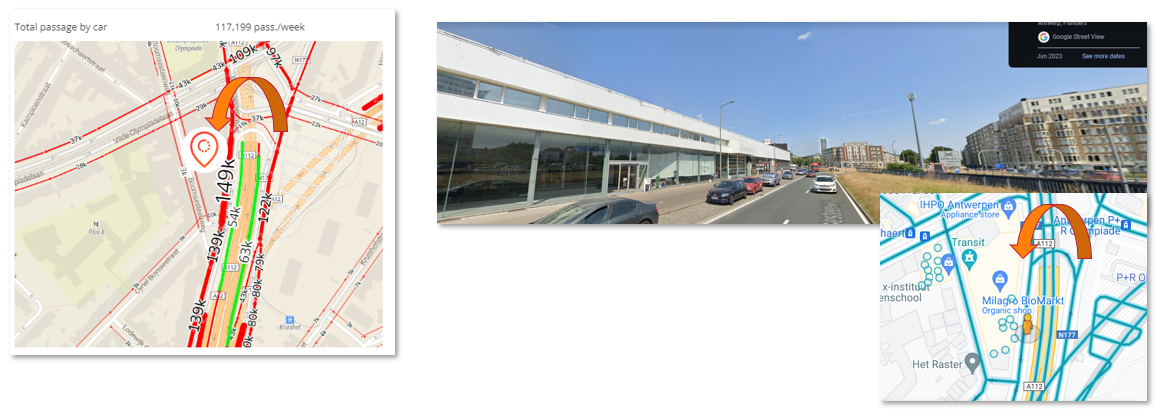
Tunnel or underground road segment where the location is not visible | 0% |
These percentages are guidelines. Always check the local situation before confirming the final configuration.
4. Guidelines by road situation
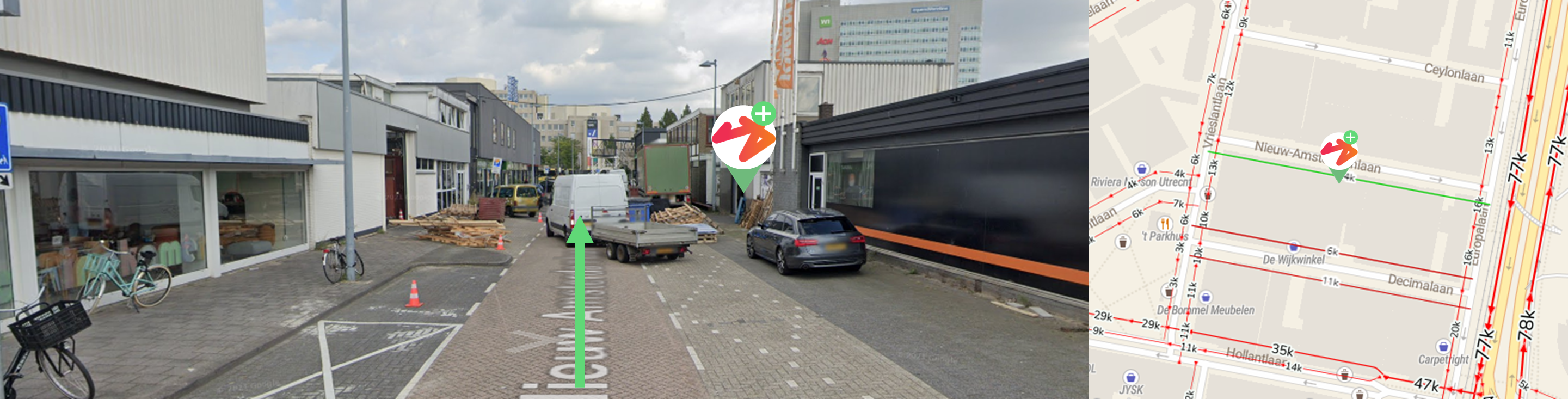
One-way street
If the location is visible from the road segment in front of the location and cars can access it easily, include the road segment in the driving direction towards the location at 100%.
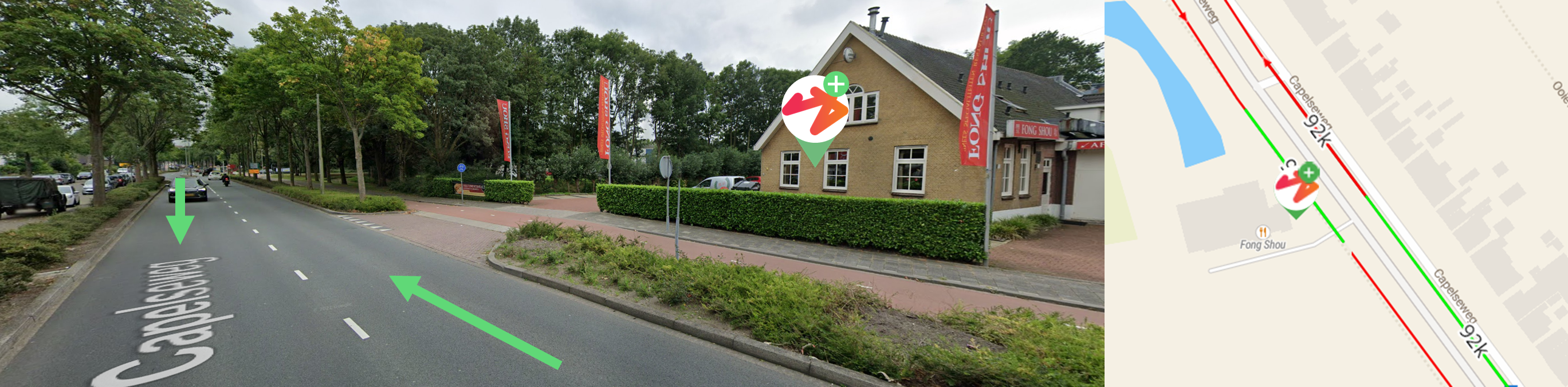
Two-way street
If the location is visible and accessible from both driving directions, include both directions at 100%.
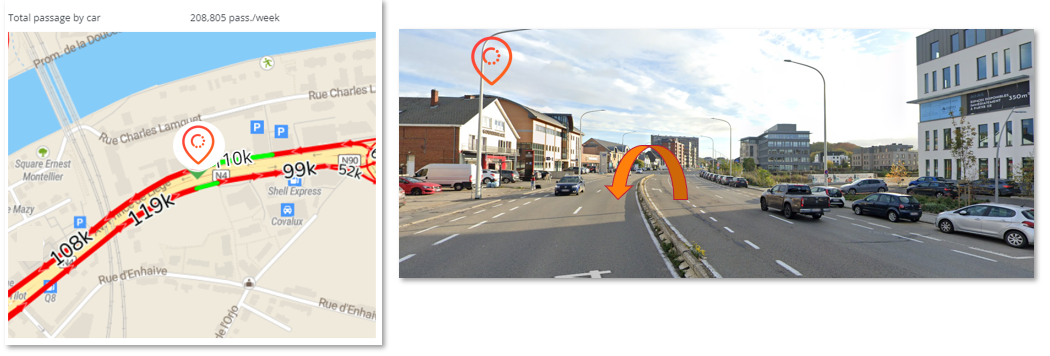
If cars from the opposite direction can reach the location through a short and acceptable diversion, for example within approximately 100 metres, that direction can also be included at 100%.
If the location is only accessible from some road segments, include only the accessible segments. Do not include segments where cars cannot realistically turn or access the site.
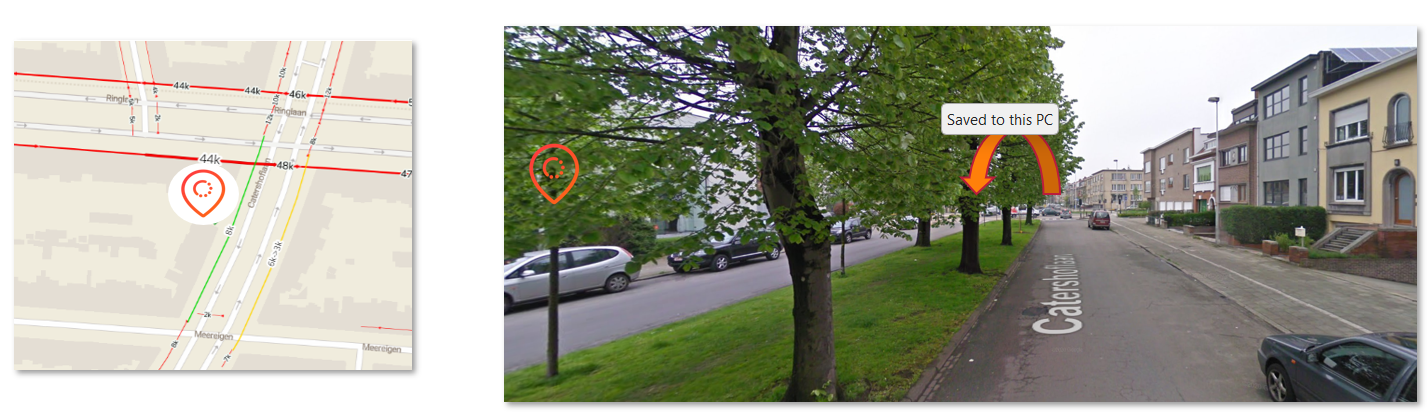
If visibility is limited from one direction, for example because of trees, buildings, parked cars, or infrastructure, include that direction at 50%, if the location is still accessible.
Crossroads
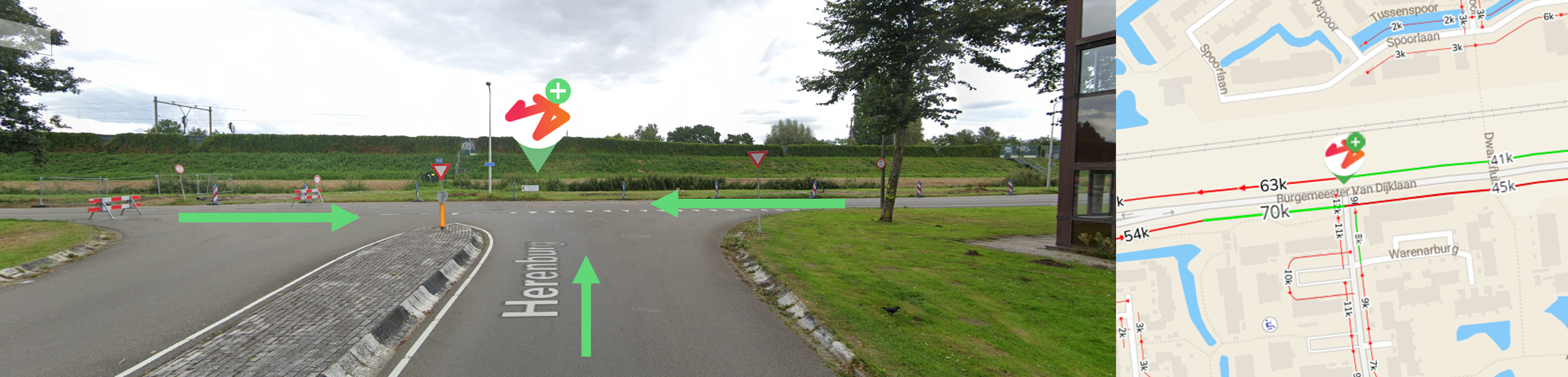
At crossroads, include the road segments in the driving direction towards the location or towards the crossroad when the location is visible and accessible.
For minor crossroads, this usually means including all relevant incoming road segments at 100%.
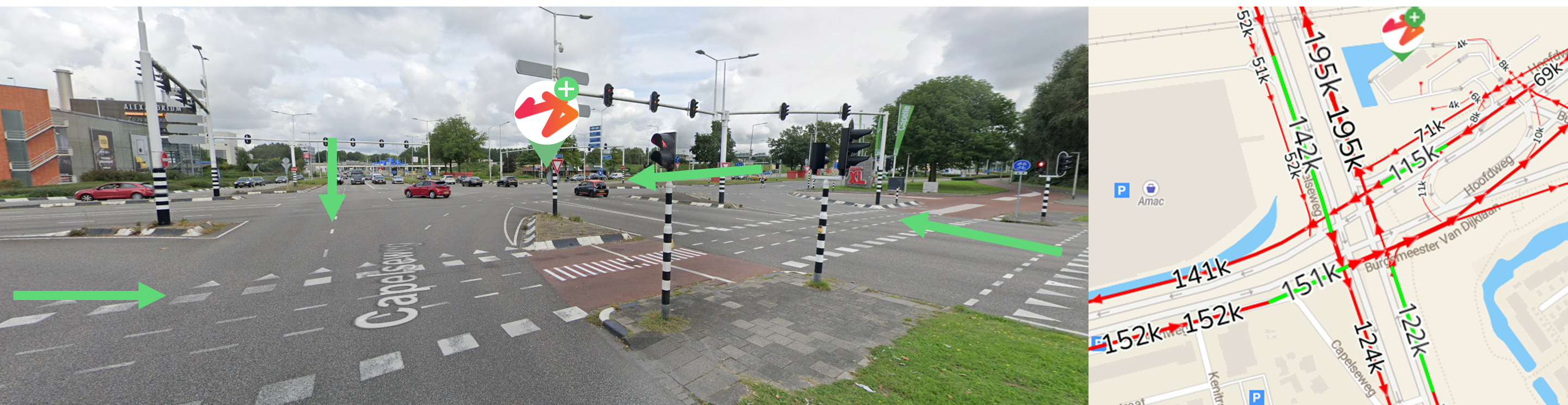
For major crossroads, focus on the main incoming road segments and avoid smaller or subsequent road segments that would count the same traffic flow twice.
Roundabouts
At roundabouts, include the main road segments in the driving direction towards the roundabout when the location is visible and accessible from those directions.
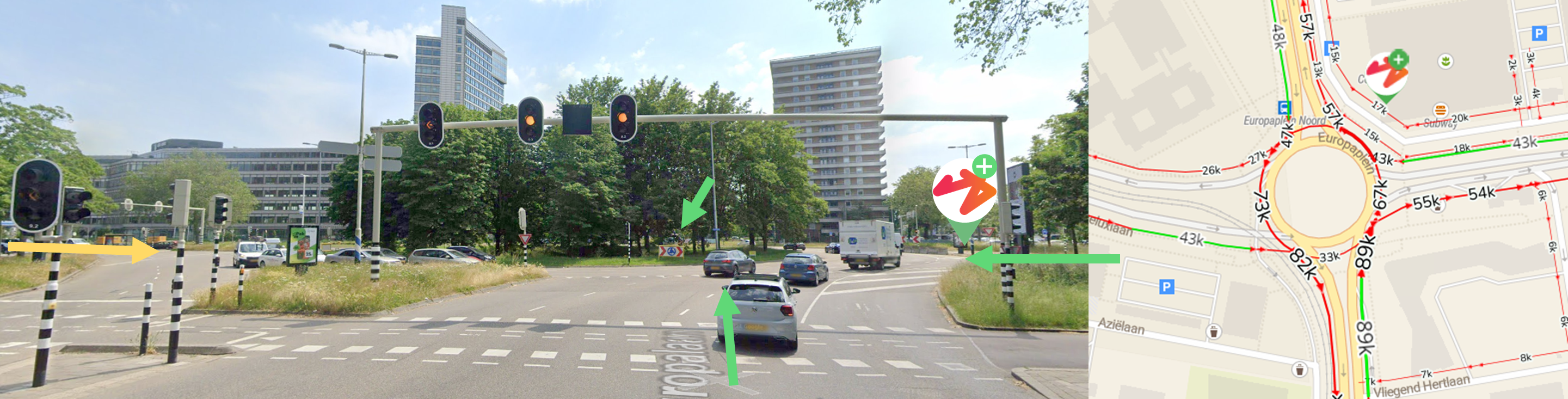
Use 100% for clearly visible and accessible incoming road segments. Avoid selecting minor or subsequent segments to prevent double counting.
Highways
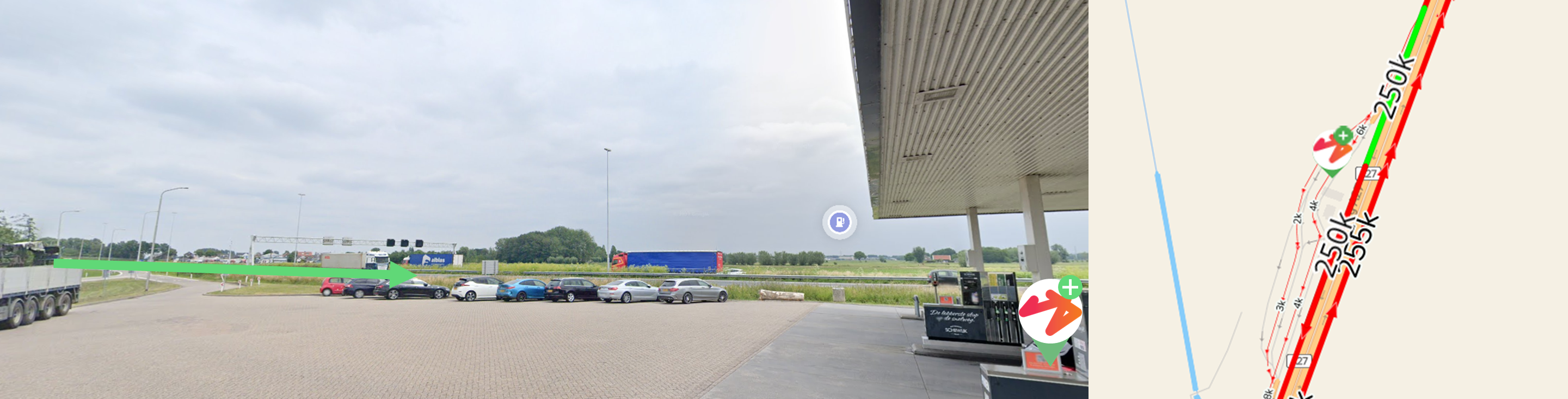
Only include highway traffic when the location is visible and cars can realistically access it through a nearby exit.
Include nearby main road segments at 100% when they are visible and accessible.
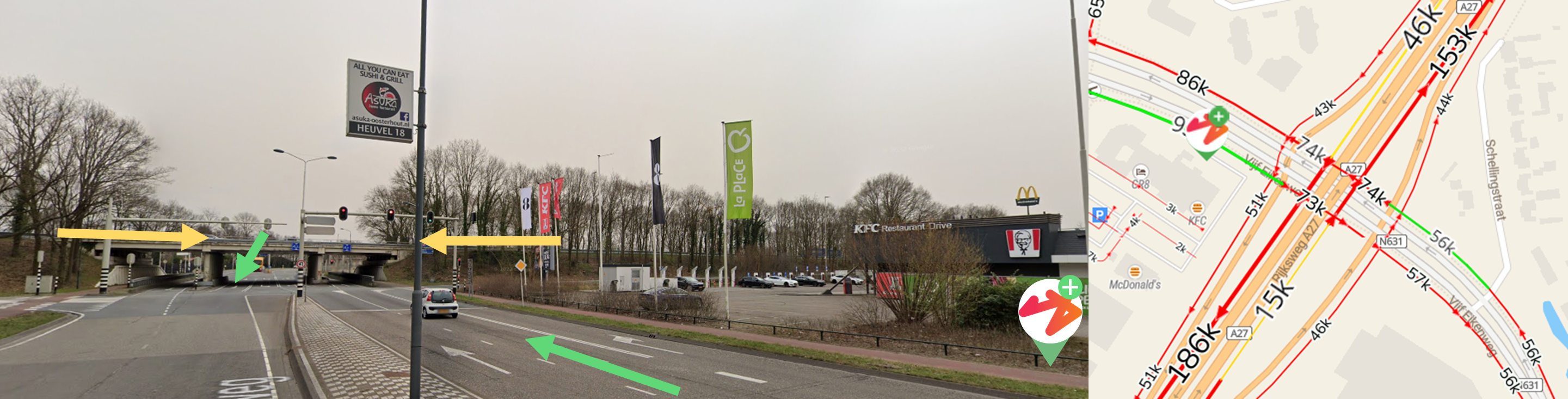
Include highway segments only when they are partly (see yellow arrows) visible and there is a realistic nearby exit, for example within approximately 100 metres. In that case, use 50%.
If the location is accessible from only one driving direction, include only that direction at 100%.
Do not include tunnel or underground road segments when the location is not visible from them.
Tunnels
5. Guidelines for footfall
Footfall is usually less often manually updated than car passage.
When building-level footfall is available, the default configuration is generally based on the building-level footfall layer.
In most cases, there is little to configure manually. Either a relevant footfall value is available for the location, or it is not (footfall outside of shopping areas and below 2000 passants/week are not taken into account)
If the proposed value does not reflect the local situation, the user can manually overwrite the footfall value in the location pop-up.
6. When should you update the default configuration?
Consider updating the default configuration when:
- The automatically selected road segments do not match the local situation.
- The location is on a corner and multiple road segments may be relevant.
- Visibility is affected by barriers, tunnels, bridges, trees, buildings, or other obstacles.
- The location is visible but not easily accessible from a road segment.
- The location is accessible from only one driving direction.
- The location is near a crossroad, roundabout, or highway exit.
- Footfall is missing because the location is just outside a shopping area, but you still want the model to take footfall into account.
- The proposed footfall value does not reflect the local situation.
7. Important reminders
Do not select two subsequent road segments from the same traffic flow. This prevents double counting.
For car passage, always assess the driving direction towards the location.
For footfall, manual updates are less common. If the proposed value is not correct, it is often easier to manually overwrite the value than to adjust the configuration.
After updating the configuration, make sure to confirm and apply the changes in the platform.